
One Line of Code to Save a Lagging
WordPress Site

- Written by Mila Skriptunova onApril 24, 2026
“I write to share practical lessons from real web development projects, from frontend architecture and responsive design.”
Many WordPress site owners face the same frustrating issue: over time, the dashboard starts to crawl, saving a page takes forever, and occasionally, the dreaded “White Screen of Death” appears.😱
Fast Speed Fix is the typical reaction is to install yet another optimization plugin. But in many cases, the solution isn’t more software – it’s a single line of code in your system settings.
🧱 The Problem: The "Memory Ceiling"
I recently worked on a project where the site was visibly struggling. The culprit? The PHP Memory Limit. By default, many hosting environments limit WordPress to just 40MB or 64MB of RAM. For a modern site running a powerful builder like Breakdance or Elementor, along with e-commerce features, that is simply not enough. 📉
The site was constantly hitting its “ceiling,” causing the server to work overtime and killing the site’s performance. ⚡❌
🎯 The Solution: A Surgical Strike
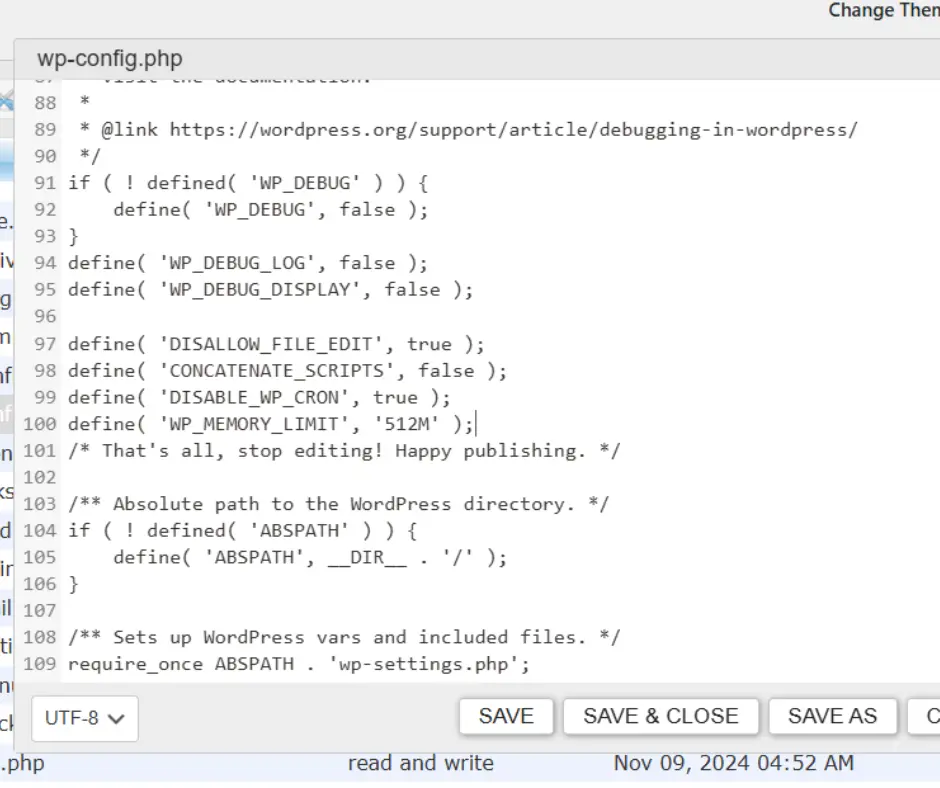
Instead of bloating the site with “optimization” plugins that consume even more memory, I went straight to the heart of the site, the wp-config.php file. I added exactly one line of code:
define( 'WP_MEMORY_LIMIT', '512M' ); ✅
Why 512M?
Stability: This provides enough “breathing room” for heavy processes like image processing, automated backups, and complex page builds. 🧘♂️
Speed: The server no longer wastes time trying to squeeze processes into a tiny space, resulting in a much snappier admin experience. 🏎️
Clean Engineering: We solve the problem natively without third-party overhead. 💎
🛡️ The Workflow (and a Note on Security)
To apply this fix quickly, I used WP File Manager. It’s a great tool for rapid deployment, but it comes with a warning. File managers are powerful, and if left active, they can be a major security risk. ⚠️
My Professional Standard: I use these tools for the task at hand and delete them immediately once the work is verified. Security is just as important as speed. 🔒
✨ The Result
The dashboard became instant, and the server errors vanished. Sometimes, the best optimization isn’t adding something new, it’s correctly configuring what you already have. 🙌
Need to speed up your
WordPress or Shopify store?
I specialize in technical SEO and high-performance web engineering. Let’s make your site fly!